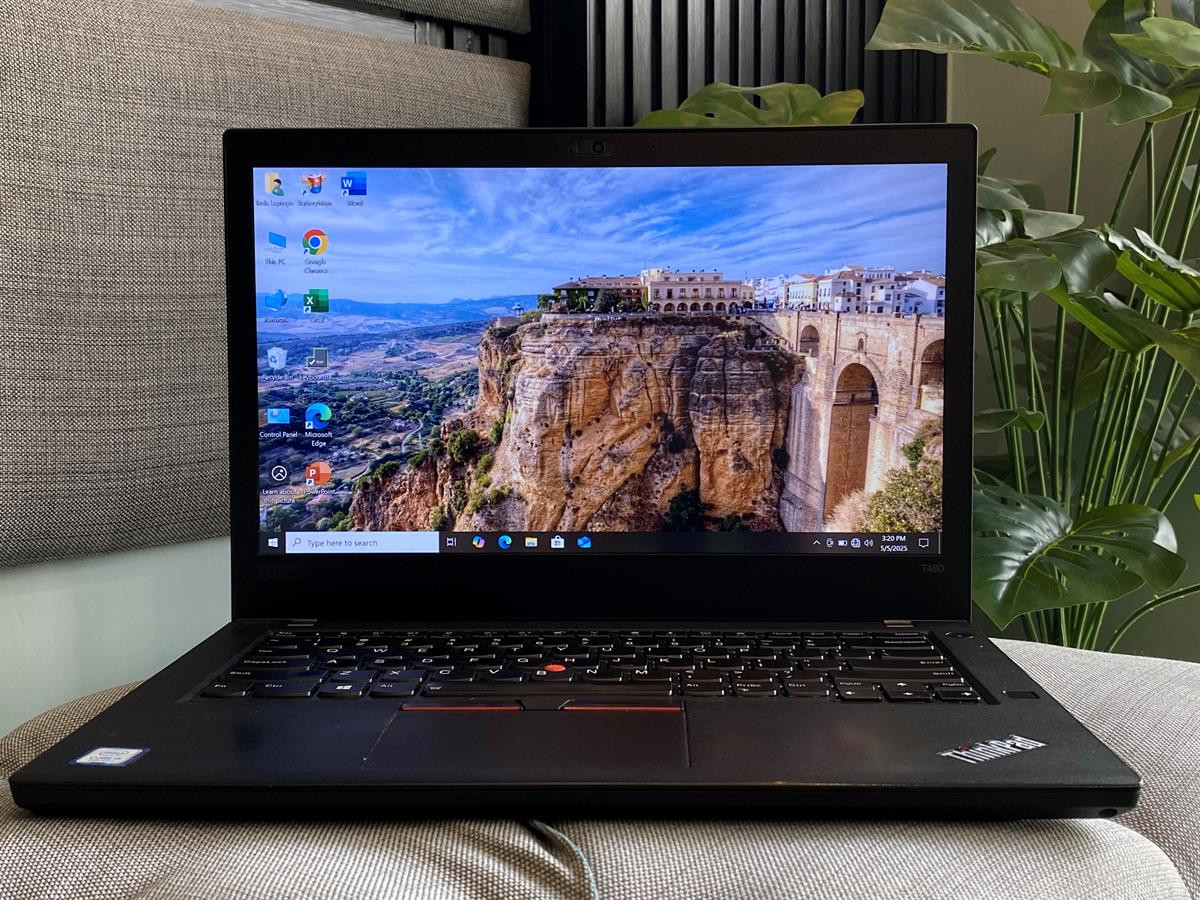
ThinkPad T480 (2018)
The T480 is great at $100–150. Terrible at $300+.
Known as "the most upgradeable ThinkPad," but often misunderstood. Most buyers don't know about the Thunderbolt firmware flaw that kills USB-C ports, or that you can get a T14 Gen 1 for the same price with far better performance.
Based on real user experience. Insights from multiple owners, complaints, and field reports across the laptop community.
Watch Out For
Real issues that make the T480 a risky purchase at inflated prices.
Overpaying (40% of Buyers)
The #1 issue. Most buyers pay $200–300+ for hardware slower than a $200 T14 Gen 1 AMD.
YouTuber hype has inflated prices beyond reason. The T480 with 8th gen Intel is objectively slower than the T14 Gen 1 with Ryzen 4750U—and they cost the same.
After necessary upgrades (RAM, batteries, SSD), you're spending $400+ on a 7-year-old laptop. That's terrible value.
Fair price: $100–150 maximum. Anything above $150 means you're overpaying for nostalgia.
Thunderbolt Firmware Flaw
USB-C ports will die without firmware update. This is non-negotiable and must be done immediately.
First thing to do when you get a T480: Update Thunderbolt firmware or your USB-C ports will permanently fail.
Use fwupdmgr on Linux or Lenovo Vantage on Windows. This is not optional—it's a known hardware flaw that requires a firmware fix.
Many used T480s already have dead USB-C ports because previous owners didn't know about this issue.
Battery Degradation
7-year-old batteries are usually degraded. Expect 3–5 hours on old batteries. Replacements cost $100–150.
The Power Bridge (dual battery) system is great—when batteries are new. Most used T480s have severely degraded batteries after 7 years.
Budget for new batteries: OEM replacements cost $100–150 for both internal and external batteries. This adds to your total cost.
New batteries deliver 8–10 hours on Linux, 6–8 hours on Windows. Old batteries? 3–5 hours maximum.
Performance Reality Check
8th gen Intel is slow by 2025 standards. Linux helps with RAM, but won't magically make a 7-year-old CPU fast.
The i5-8250U or i7-8550U are quad-core, but they're demolished by the Ryzen 4750U in the T14 Gen 1 from 2020.
Linux will give you 1–2 hours better battery life and better RAM efficiency (400–500MB idle vs 2–3GB on Windows 11), but it won't make the CPU competitive.
Set realistic expectations: This is a 7-year-old laptop. It's fine for basic tasks, but don't expect modern performance.
MX150 Models Overpriced
T480 models with MX150 dGPU are significantly overpriced. Skip them—integrated graphics are fine for this tier.
Sellers charge premiums for MX150 models, but the GPU is weak by modern standards and reduces battery life.
For light gaming or GPU work, you're better off saving money and buying a newer laptop with modern integrated graphics.
Skip MX150 models unless you find one at the same price as the integrated graphics version.
Why People Love It
At the right price, the T480 has genuinely appealing features for the right use case.
Power Bridge (Dual Swappable Batteries)
The last ThinkPad with dual hot-swappable batteries. Swap the external battery without shutting down. With new batteries: 8–10 hours on Linux, 6–8 hours on Windows. This feature alone makes it special for road warriors.
Fully Upgradeable (2x RAM, NVMe)
2x SODIMM slots support up to 64GB RAM. M.2 NVMe SSD slot. This is increasingly rare in modern laptops. Start with 8GB and upgrade to 32GB later for $50–80. Future-proof upgradeability at a budget price.
Excellent Value at $100–150
At the right price, the T480 is fantastic. $100–150 for a reliable ThinkPad with upgradeable RAM and dual batteries is a steal. The problem is most buyers pay $200–300, which destroys the value proposition.
Perfect Linux Machine
Everything works out-of-box on Linux. Better RAM efficiency (400–500MB idle vs 2–3GB on Windows 11) and 1–2 hours better battery life. If you only have 8GB RAM, Linux transforms the experience. This is what the T480 was made for.
Classic ThinkPad Keyboard
The legendary ThinkPad keyboard with proper key travel and the TrackPoint. If you're typing all day, this keyboard is still among the best. Many users with modern laptops keep their T480 specifically for the typing experience.
Full Port Selection
Ethernet, USB-A, USB-C, HDMI, SD card reader—everything without dongles. For IT work, network troubleshooting, or situations where you need physical connectivity, the T480 has you covered. Modern laptops make you carry a dongle bag.
Is the T480 Worth It?
The brutal truth: Only at the right price. Here's how it compares.
T480 (2018) vs T14 Gen 1 AMD (2020)
| Feature | T480 (2018) | T14 Gen 1 AMD (2020) |
|---|---|---|
| CPU Performance | i5-8250U / i7-8550U (Quad-core, slow) | Ryzen 4750U (8-core, destroys Intel) |
| RAM | Upgradeable (2x SODIMM, 64GB max) | Upgradeable (2x SODIMM, 64GB max) |
| Battery | Dual swappable (if new: 8-10hrs) | Single internal (8-10hrs) |
| Ports | Excellent (Ethernet, USB-A, USB-C) | Excellent (Ethernet, USB-A, USB-C) |
| Typical Used Price | $200–300 (overpaying) | $200–250 |
| Verdict | At $200+, buy the T14 Gen 1 AMD instead. Same price, far better performance. | |
When the T480 Makes Sense
| Price Point | Verdict | Recommendation |
|---|---|---|
| $100–150 | ✅ Good Value | Buy it. Upgrade RAM and batteries as needed. |
| $150–200 | ⚠️ Borderline | Only if you specifically need dual batteries or already have upgrade parts. |
| $200+ | ❌ Terrible Value | Don't buy. Get a T14 Gen 1/2 AMD instead. |
Worth It Upgrades
If you buy a T480, here's what to upgrade and what to skip.
RAM Upgrade
- Worth It: Yes
- Cost: $50–80 for 32GB
- Impact: High
- Massive improvement if you have 8GB
New Batteries
- Worth It: Yes
- Cost: $100–150 (both)
- Impact: High
- Essential if batteries degraded
NVMe SSD
- Worth It: Yes
- Cost: $60 for 1TB
- Impact: Medium
- Fast storage helps aging CPU
Skip These
- MX150 dGPU models (overpriced)
- Screen upgrades (expensive)
- Glass trackpad (Linux issues)
- Cosmetic mods
The Brutal Truth
Buy if: You find one for $100–150, want dual swappable batteries, need a Linux laptop on a budget, or specifically want the upgradeable design.
Don't buy if: Asking price is $200+, you need good performance, you're buying because of YouTuber hype, or you expect it to feel fast by modern standards.
The Reality: The T480 is a good $100–150 laptop that people sell for $200–300 because of nostalgia. At inflated prices, it's terrible value. The Ryzen 4750U in the T14 Gen 1 destroys the T480's 8th gen Intel, and they cost the same used.
Frequently Asked Questions
Direct answers to the questions everyone asks before buying.
Data Sources
All of the information comes from online community of laptop owners, who report directly from their own experiences. and somewhere in data source : We put up reports from the community that show trends of failure, configuration problems, and long-term feedback. Each problem is measured depending on how frequently it arises across individual user instances.
Ready to Make Your Decision?
Have questions or need personalized advice? We're here to help.